Appearance
Create Control Number
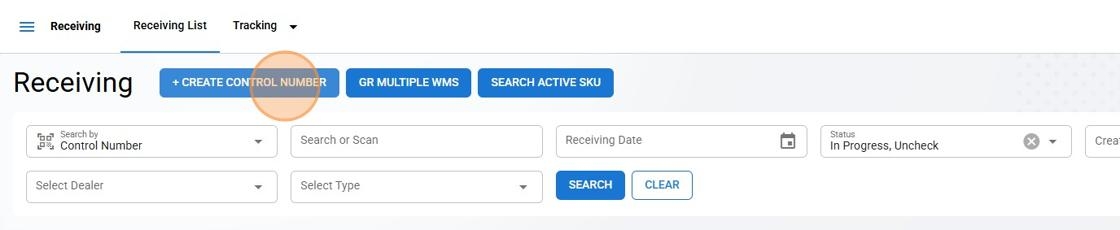
Click on the + Create Control Number button located at the top left of the control number list page.
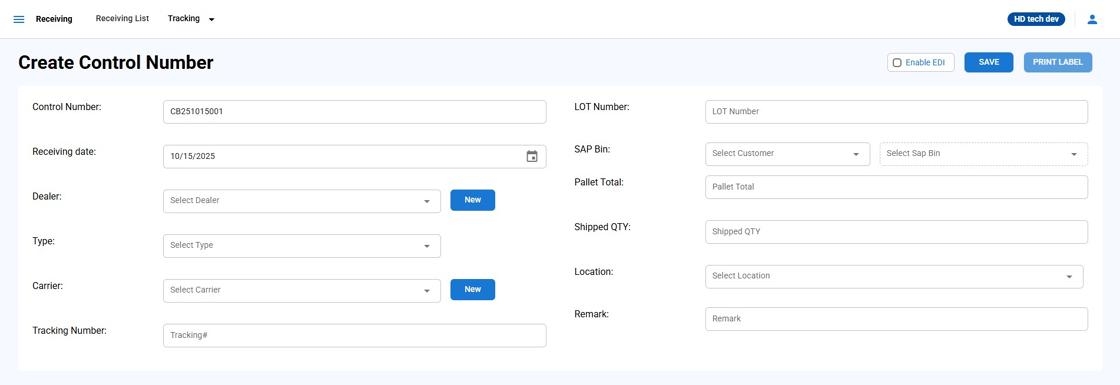
| Field | Details |
| ** Control Number ** | The system automatically generates a unique identifier, which is your control number. For example, "CN240620001". |
| Receiving Date | Click on the calendar icon to specify the date of delivery reception. For instance, "06/25/2025" |
| Dealer | Select the dealer from the dropdown menu. If the dealer is not available, click "New" to Create DealerWhen creating a control number, you may need to add a new dealer to the system. The following steps will guide you through the process using the pop-up form designed for this purpose. Click the "New" button next to the Dealer. |
| Carrier | From the dropdown, select the carrier that will deliver the items. |
| Tracking Number | Enter the tracking number provided by the carrier to track the shipment. Leave blank if not available at the time of entry. |
| LOT Number | If there is a LOT number associated with the delivery, enter it here. |
| SAP Bin - Customer | Select your customer and its associated SAP bin.Select the appropriate storage bin from the dropdown menu. |
| SAP Bin | |
| Pallet Total | Indicate the total number of pallets being received. For example, "1". |
| Shipped QTY | Enter the total quantity of all items. |
| Station | Choose the station where the delivery will be processed. |
| Remark | Any additional information or special instructions regarding the delivery can be added in the "Remark" field. |
Enable EDI
Will Send corresponding 944 Message if selected
Create Dealer
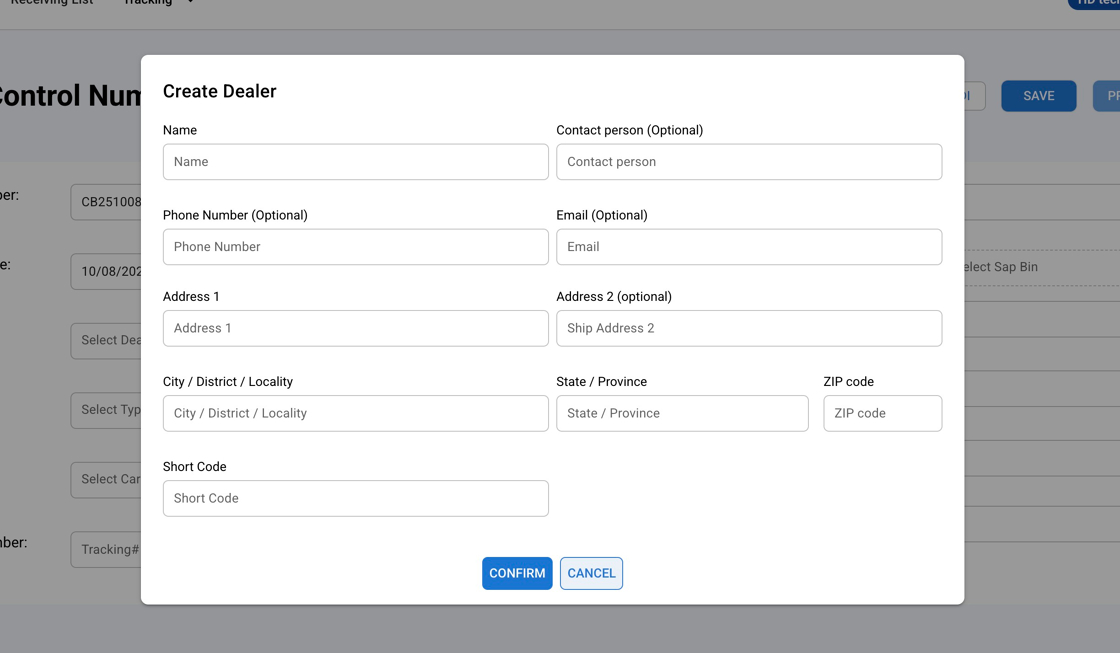
Fill in Dealer Information
Name: Enter the name of the dealer.
Contact Person: Provide the name of your primary contact.
Phone Number: Enter the phone number for the dealer or contact person.
Email: Provide the email address for dealer communications.
Address 1 & 2: Input the primary and secondary addresses for the dealer.
City / District / Locality: Enter the City / District / Locality of the dealer’s address.
State / Province: Enter the State / Province information as free text.
ZIP code: Input the postal code for the dealer's address.
Short Code: Enter a unique identifier for the dealer that will be used to generate the WMS number.
Create Carrier
Free Text to create list of Carriers 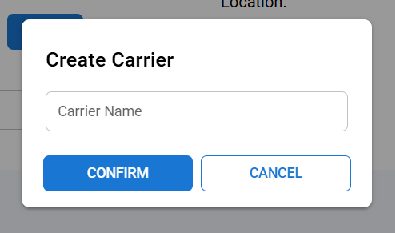
Control Number Summary
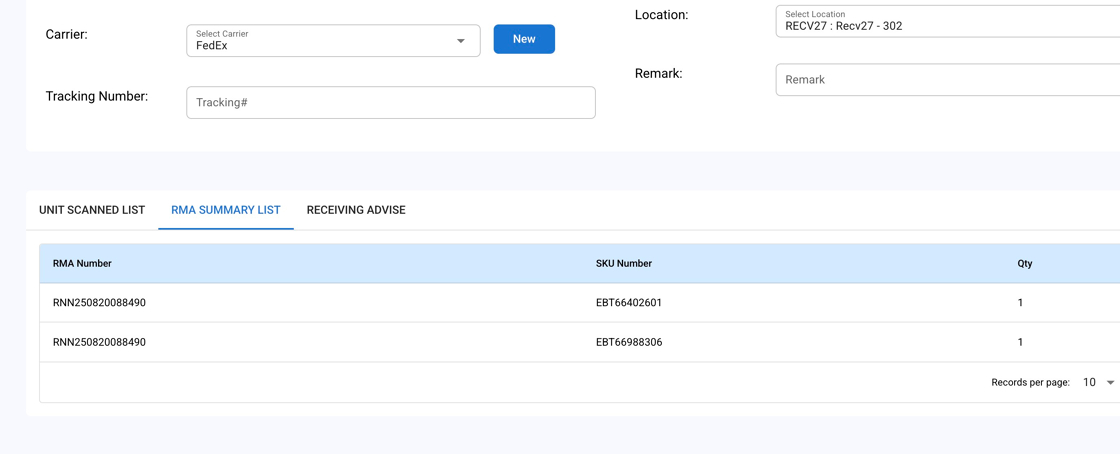
Unit Scanned List
Shows Summary of items scanned for receiving
1 WMS 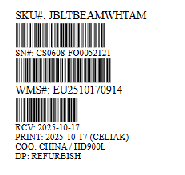
2 WMS
Prints 2x WMS Label
Big WMS 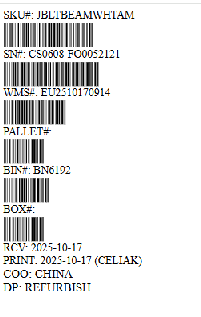
4x6 Option
Repair WMS
Detail
Additional Item Details
RMA Summary List
Shows Received Units by RMA Number , Sku and QTY
Receiving Advise
Shows expected receiving Sku and Requested QTY as well as Accepted QTY