Appearance
Roles
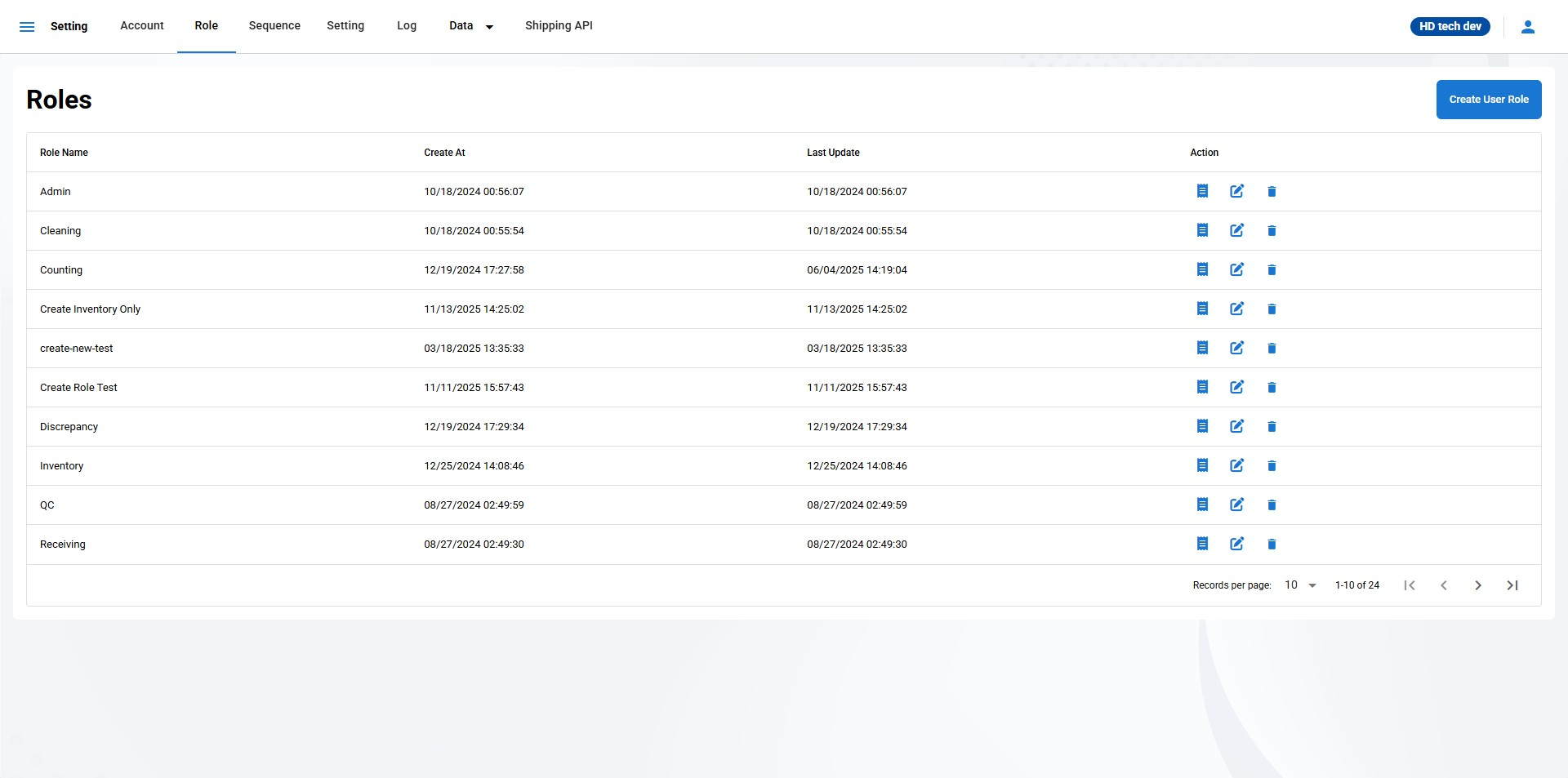
The Roles page is where you can view, create, edit, and delete user roles in the system. Each role determines the permissions and access levels that users assigned to that role will have.
Role Name:
- This column displays the name of each role currently set up in the system. Roles are typically descriptive of the permissions they provide, such as "Super Admin" or "Manager."
Create At:
- This column shows the date and time when the role was created. This information helps track when roles were established.
Last Update:
- This column shows the date and time of the last modification made to the role. It helps track the most recent changes made to each role.
View Permissions (icon):
Click on this icon to view the permissions associated with the role.
Edit (pencil icon):
Click this icon to modify the role's name, permissions, or other details.
Delete (trash icon):
Click this icon to remove the role from the system. A confirmation prompt will appear before the role is permanently deleted.
Create User Role:
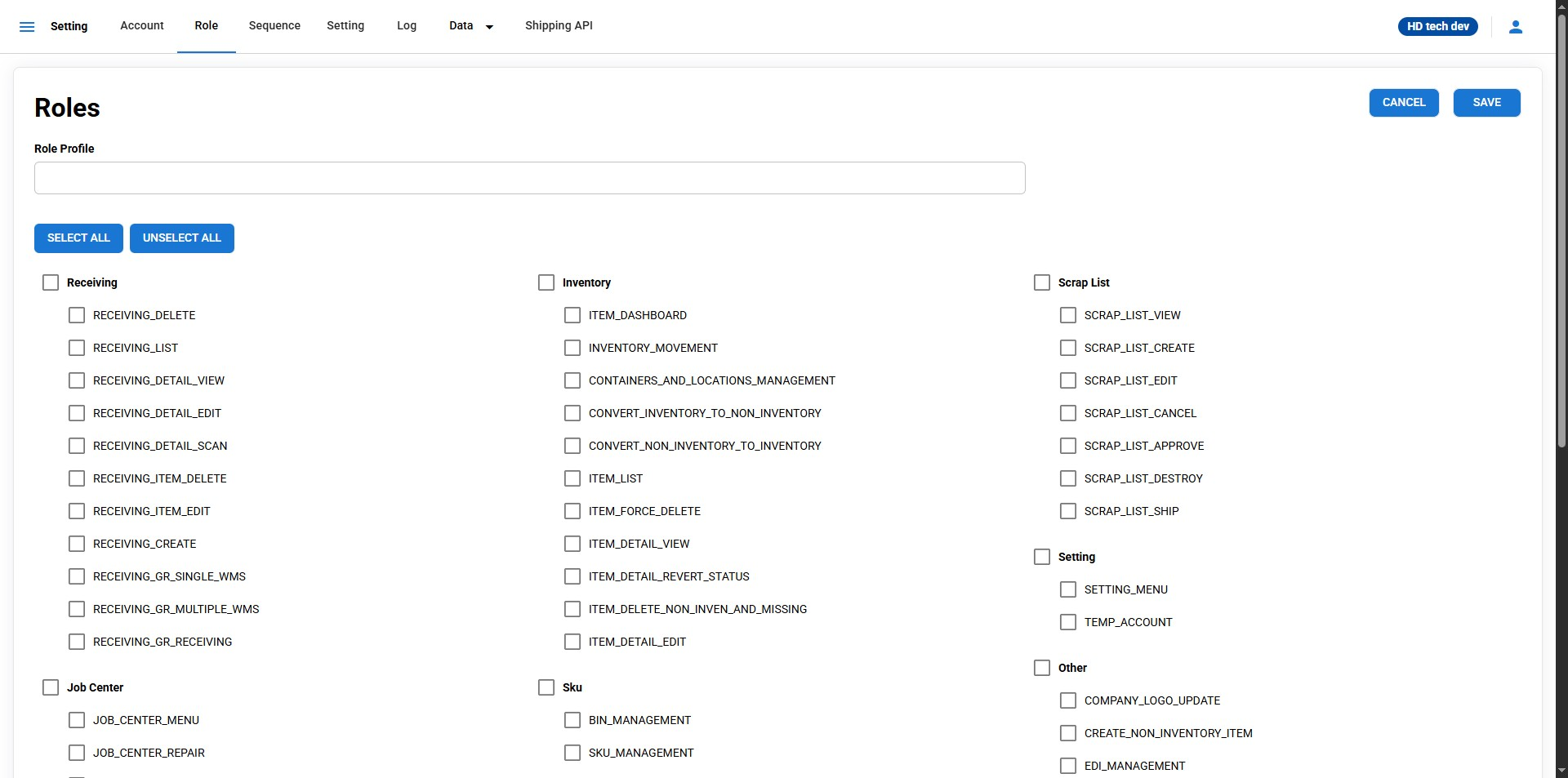
Click the "Create User Role" button to create a new role. You will be taken to a form where you can define the role name and assign permissions to the role.
Role Profile - Enter your preferred Role Profile Name