Appearance
Tracking
Tracking - Scan
The Tracking Scan Tracking Report module can be used to count and scan in packages.
Start Batch - Creates a Batch ID for the set of items to be scanned
Client - This is set up in the Client Page
Carrier - This list is only set for the team to enter a carrier and is not connected to other carrier lists.
Note - Optional area to track other items
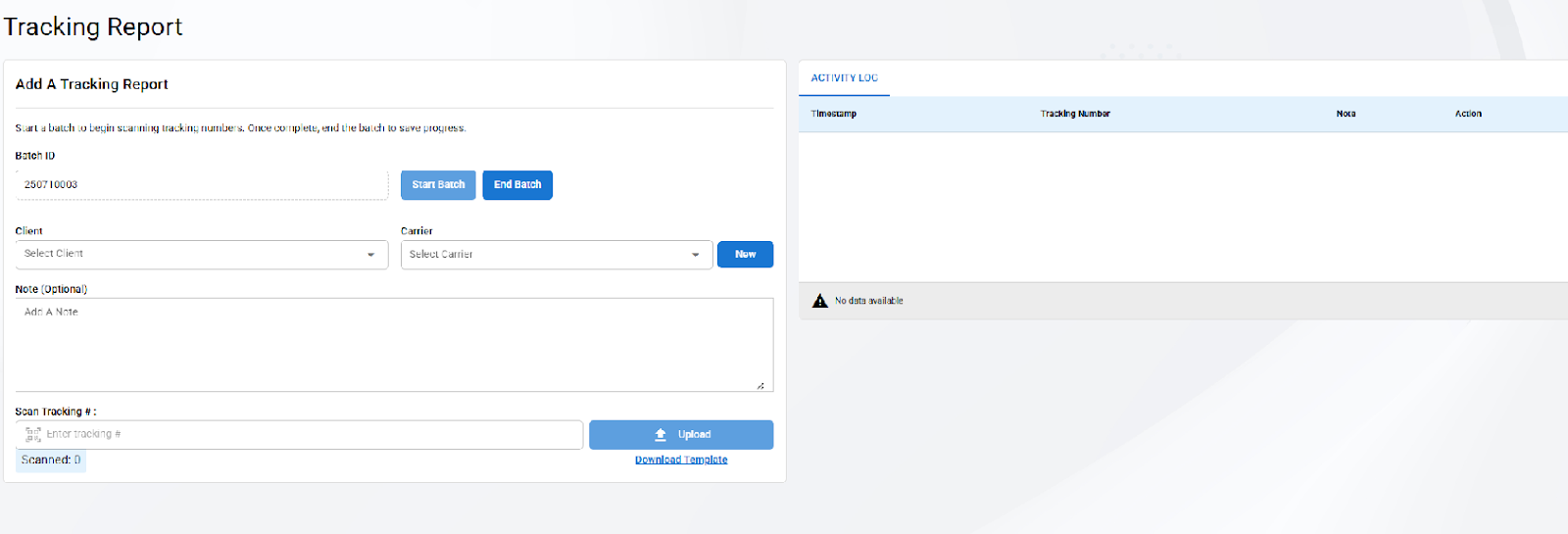
Scan all tracking numbers to the field.
Tracking Number Upload Feature -
In case of system issues, a batch upload feature is available for use.
Download template
Paste tracking numbers and options note
Save as CSV or XLS and upload
Tracking - Management
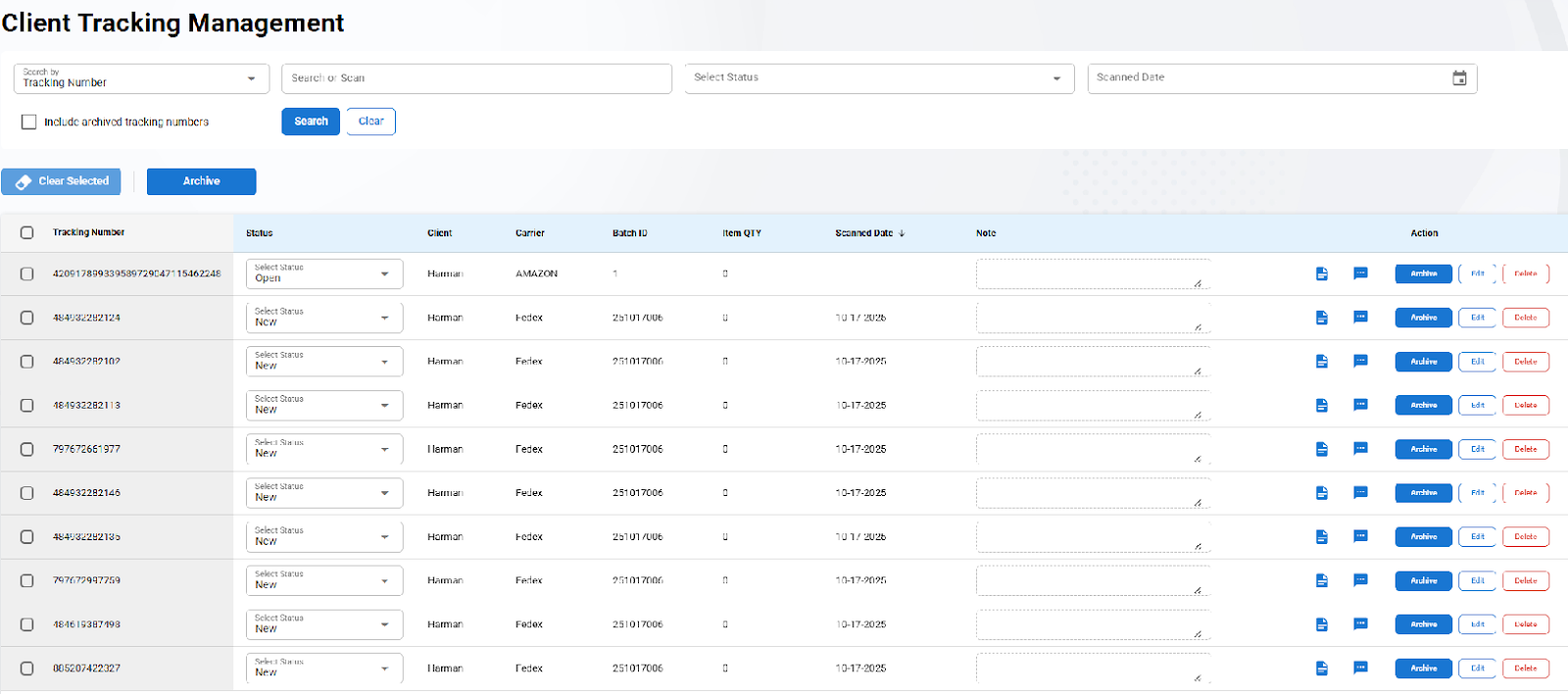
Client Tracking Management is a feature that allows the user to connect with a client and maintain status of tracking numbers that have discrepancy or issues in Receiving.
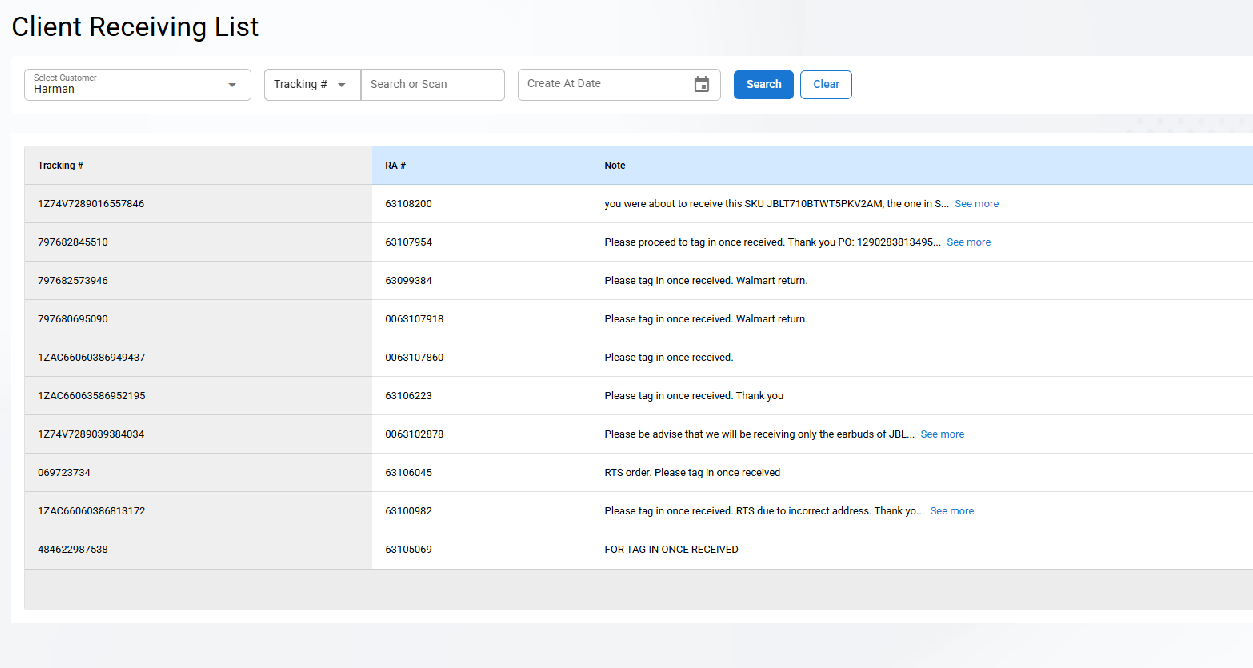
Tracking - Client Receiving List
Client Receiving List Page allows you to search for a case by customer, Tracking #, RA #, or Create Date